
Some authors scoff at the idea of using software to help write a novel. As a technology geek, I take a contrary view. If software can make the writing process easier, why not use it?
I’ve been experimenting with novel writing software, and have found some success. What I’m wondering, though, is which programs are the best?
For my latest project I’ve been using three writing programs consistently. Here’s a rundown of what they do.
Dramatica Pro
Dramatica helps you to develop a fully formed story, and is great for producing a story synopsis. It’s based on an original theory of story composition, and is influenced by Joseph Campbell‘s writings on archetypes and the structure of myths. I was hesitant to try it until I read an interview with fantasy writing legend Tracey Hickman, in which he describes how he uses Dramatica to flesh out his characters and their motivations.
I used Dramatica to generate my novel’s synopsis. I took the ideas that I had already developed, and plugged them into the software. What the program did, then, was present me with questions that helped to refine the core elements of the story. It challenged me to reconsider my characters and their motivations in new ways. This process gave me fresh insights into the central conflicts of the story, as well as the relationships of the characters.
A common criticism of Dramatica is that it takes a “cookie-cutter” approach to storytelling, as it reshapes your story to fit the theory. There is some truth to this. In a few cases the software pushed me to re-imagine characters in ways that I found displeasing. When this occurred, I treated the software’s recommendations as suggestions, and proceeded as I wished. In spite of this, Dramatica has been a worthwhile investment for me. Because of this software my story synopsis now contains unique twists that I had not previously considered.
The Marshall Plan Novel Writing Software
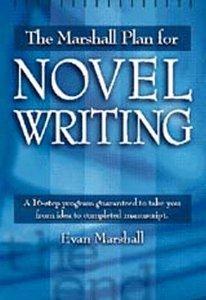
This software is based on The Marshall Plan for Novel Writing by Evan Marshall. Marshall is a successful mystery author and literary agent, and has a keen understanding of the mechanics of storytelling.
After developing my synopsis with Dramatica Pro, I used the Marshall Plan to outline my novel scene by scene. This software divides a story into three acts, each of which is comprised of numerous sections. For each section you develop the viewpoint character, her motivation, as well as the conflict and obstacles that she faces. The software also guides you towards developing fast-moving acts with twists, as well as a satisfying climax.
The final result is a well-paced road-map of your novel, which I printed out and keep near my writing desk. Like Dramatica, the Marshall Plan does try to reshape your novel to fit a predefined template. What this software does excel at, though, is helping you to shape the structure of your novel.
My Writing Spot
My Writing Spot is a free online word processor for writers. It provides a straightforward writing environment with minimal distractions. As you type the program displays a running word count, while keeping most other features out of view. For me, this makes it easier to stay focused on my writing. A number of important features are present, though, including auto-save, a dictionary and a thesaurus. Your manuscript is stored online in Google’s cloud, where only you have access to it. It’s very easy to export the document to any word processor, or to email it to yourself.
Perhaps the best aspect of My Writing Spot, however, is that apps are available for the iPad, Android and iPhone operating systems. This means that you can easily write on the go, as your work is always accessible from Google’s cloud. It’s also useful if you use multiple computers for your writing.
I’ve been using My Writing Spot since last year, and find it to be one of my favorite writing tools. It makes it easy for me to work on my novel while sitting in waiting rooms, riding on a train, or lounging on the couch. It doesn’t get more convenient than that.
What Are You Using?
For me, these three programs have been invaluable. Yet there are other examples of novel writing software. Some popular options include:
- NewNovelist
- yWriter
- Scrivener
- StoryWeaver
- Liquid Story Binder
Do you have any experience with these or similar programs? In your opinion, which writing programs are the best?

A great article and many useful responses.
I use Spacejock’s yWriter, Atlantis Word Processor, Movie Magic and (wait for it) Microsoft’s humble, much-overlooked Notepad.
Tap Windows Key+R, “RUN” opens; type ‘Notepad’ hit enter and it opens in a snip. It’ll be there next time too, no need to re-type.
Once open, tap “F5” to add the time and date.
TXT files are universally compatible with every device (so far as I know).
The challenge is to work out a filename structure or protocol that makes it easy to see what’s what – remember to switch off ‘Formattng – Word Wrap’ before Copy & Paste.
The file sizes are the smallest possible.
I’ve been going through a period of looking for something to replace Microsoft Word, something that will help me not only Write, but to organize and manage my writing. I’ve tried Quoll Writer, WriteWay, yWriter, and finally, Liquid Story Binder. I think I’m going to settle on Liquid Story Binder, at least for a while.
I have read that people think it is hard to learn to use, but I found that after just 3 hours or so of playing with the software, making mistakes and foolish assumptions, I was fairly functional with it. 3 hours is the amount of time I spent in trying to get functional with yWriter.
Yes LSB is VERY intimidating with all those floating Windows. But once i tried to analyze what it was doing, I knew that it was pretty much working like any other authorship type software. The only difference was that I could move the Windows around a bit.
I did find the default preferences kind of weird and once I realized that some of the settings were way off for what I wanted to do, a quick read of the help file, got my preferences set the way I wanted.
These are all great programmes, but if you decide to write a new review of novel writing software, please do check out The Novel Factory, as it has a lot of the features of the programmes above, but in a much more intuitive, user friendly format. Thanks!
I love the sound of Dramatica, sounds like it could be a genuine creative unblocker at times. Really like the idea of using it as a suggestion rather than a dictator. Definitely important for the author to retain overall control.
There’s a super in-depth comparison of a lot of the software listed at the end (Scrivener, Ywriter etc) available at https://kindlepreneur.com/best-book-writing-software/ if anyone is interested.
Personally, sometimes I find simply making a switch from one app to another can help if I’m feeling stuck. Something about a new working environemnt to help feel unstifled.
I was totally in love with MyNovel 3 and 4. I was so beyond distraught when they went under and I could no longer sign in and use the software! I thought that was stupid, and they should have made it available to use so all the people who did buy it weren’t out their money. It was by far the best software I ever used.
I’m in the process of trying out some new software because I’m tired of Scrivener’s word count and target not working. Not to mention, it hasn’t gotten any of the recent updates for PC that Mac has. In fact, I am beginning to wonder if it’s been abandoned since it’s been so long since it’s been updated (PC or Mac).
I don’t like WriteItNow at all.
Write Way Pro is now free for everyone. It’s decent enough.
The Novel Factory actually seems like it may be quite good. However, I have only just downloaded it and haven’t had time to use it in any in-depth manner. I’m not sure yet it’s target/statistic capabilities.
yWriter is eh. It’s probably good enough for most, though I find it slightly annoying.
Then there is Novlr.org which is through your web browser, but can also be used offline. I’ve never tested this, I’m too scared of losing stuff! It still is in development. They are taking ideas of what authors want and then developing them into the software. Personally, I think it’s missing too many features at this point, although it has definitely come a long way since the first time I used it!
I’m still up in the air. But I think I might still use Scrivener, for not at least, since I already own it. None of the mentioned free ones really seem to do it for me, except maybe WriteWayPro and the best paid one (that I don’t already have) seems to be The Novel Factory.
The only problem I suffer from when writing is the annoyance of inserting a new chapter between other chapters, as I flush out material. Case in point, world building requires interjection of chapters between important chapters, but to inject a new chapter 22 between chapter 21 and 23, of a 50 chapter (now 51) book, you have to go through manually and fix each chapter title.
I have been delighted with New Novelist and the customer service.
Cool list, I’m quite the fan of Dramatica Pro personally.
Also, I recommend you take a look at the newly-released Reedsy Book Editor: https://reedsy.com/write-a-book
It combines a medium-like interface for writing books with powerful automated typesetting and export to both ePub and print-ready PDF. Ah, and it’s free. So it’s not necessarily ideal for outlining and writing, but it’s the perfect new resource for formatting/typesetting.
I’m a former investigative journalist for CBCTV who divides his creative time between TV series, theatre and film projects when I’m not a digital media designer/consultant.
So far, I’ve produced three novels for Random House, an MOW, two TV series in development (six optioned in last ten years) and three plays (one adaptation of my own work, two originals) to debut this coming winter in Equity houses—I write for a living, so I hope my experience helps!
I use the following: Pomodoro Pro (chunks off writing time into full-blown flowstate focus sessions), Mindmeister to map character webs (essential for TV writing: that’s the story engine), Scrivener as core notetaking repository (can’t live w/o the 3×5 cards and notes behind ’em), esp for images and my annotations (I routinely use Pinterest, Instagram and Flickr for inspiration) and last but not least, FoldingText (pure genius) for outlining. In essence, I’ve created a TV writers room, virtually, on my own desktop. I live 150km from my co-writer, in a small arts town, so I have to make my own creative assets work for me solo and collaboratively.
Of all of these, I’d say the essential pieces (live/die) are Pomodoro and Scrivener. But I really like the font in FoldingText—just makes me want to get started, no small thing.
But I pressure-test EVERYTHING in Dramatica, even if I disagree with the algorized outcome, because it’s like being grilled by a very good producer or director. I’m blessed with an amazing TV co-writer; when we hammer out stuff between us on Dramatica, we never get lost in the weeds. Otherwise…it’s two Geminis in one room, if you know what I mean 😉
And I love my Lamy pen/Moleskine Evernote notebook combo. The iPhone app means I can index my handwritten notes, a real boon when you have too many ideas some days…you see connections you mightn’t otherwise.
I do use Evernote for repository for clipped web pages but I’m trying manfully not to research the hell out of stuff I’m working on (which I love), so that’s a barometer for me! Too many Evernote pages and my own page count suffers ;D
Here’s the thing: I’ve never ‘dried’ or had writer’s block—not because I’m not susceptible to creative roadblocks (everyone is) but because I have multiple repositories somehow I can always find a way out of the box. Onward!
Many thanks, most helpful. “Best Post” award 🙂
Ulysses. Hands down.
I used to use Scrivener, and I do miss the index cards, but not so much that I’d go back. Writing in Markdown keeps things incredibly simple, and every file is in an easy-to-reach sidebar that can be hidden with a hotkey.
I bought Scrivener on a friend’s recommendation, and found it absurdly complex and distracting. I’ve written and published four books, and wanted a little help organizing my ideas. Now I am thinking that I should just do that the old-fashioned way–on a piece of paper! Most of the work of writing really goes on in your head anyway. Still, I’ll check out a few of the programs mentioned above–especially the free ones.
I am a poet whose also an aspiring novelist. I need to know which novel writing software would be best for a novice such as myself? Thank you.
What features are you looking for?
Dramatica Pro is pretty complex. The learning curve can be a little steep, but you can pick it up in a couple of hours.
Thanks. Is Dramatica less user friendly? I wS checking it out last night after reading your article. Also checked out Liquid Binder but it seems more storyboard driven and I’m not an illustrator. I will. Heck out Scrivener. .
I would recommend using Scrivener for the purpose of organizing your ideas. It may be exactly what you’re looking for.
Thank you for the very helpful information, Mr. del Drago. I have “choice overload” after reading your original article and all the great comments from other users. I am a full time student and I take care of sick relatives in my “spare time”. I am looking for the best program to help me – a new, never before published author assemble scattered ideas and concepts. I have a decent beginning and pre-chapter. I have already created many of the central characters, including the main protagonist and a classic villain, but they need more development. I need something simple to use as I do not want to devote too much excess time to learning a new system. From what I have read so far – Dramatica and/or Scrivener? Please help! Thanks!
I use Dramatica to help weave some story aspects for plays. It’s fun to use, and I feel like it’s a great way for me to get to know my characters. I especially like being able to fiddle around with their motivations until I feel like I get them right. I rarely go beyond characters, but when I do, I enjoy the process.
For scripts I use celtx, which is far and away the easiest self-formatter on the market, and for books I use StoryMill which helps keep chapters, research, character development, etc., right within my reach.
I tried a lot – many are available as free trials – and settled on Liquid Story Binder. There is a lot of power in LSB, and I use it and love its character generator, but it is sorely in need of an update to remove bugs and improve usability; MyNovel 4 was so promising, because of the tools and how it worked… when it worked and didn’t crash, and sadly there is not tech support at all, despite what the website says so avoid it; Scrivener for Windows is good and has an excellent tutorial and is under constant development, but the Mac version I am told has features the Win version doesn’t; WriteWay Pro is excellent, but it just didn’t appeal for some reason – an entirely personal one; WriteItNow is primitive in its word processing power and has a few bizarre aspects like attributes are given on a sliding scale from one to 100. IMO, LSB is probably amongst the best, despite everything, but Scrivener is close; MN could be better than both with development, stability, and support but for now avoid it like the plague.
The real question is how many novels have you sold using this software?
I have found WriteItPro to be very useful free creative writing software. It is an on-line writing application that takes a different approach and has some really nice features. Easy to use with 256 bit encrypted data and a handy auto save feature to protect your work. You can find the free product at writeitpro.co.uk
I find yWriter to be an excellent — FREE! — tool for organizing a novel. It has plenty of features to help you keep track of characters, scenes, locations, etc. and its “report” feature lets you easily export a synopsis of what you have written. I think it’s much better than a lot of the commercial story-writing software.
Can these software products operate on a stand-alone PC, which is detached from the Internet?
I’ve had an experience with one of the companies mentioned in the My Writing Spot review, where my emails and password were viewable by their support staff. When factored in with that company’s data mining practices, it is plausible that any use of their cloud technology could result in scanned works. Rights to one’s work might change with future TOS updates similar to how Instagram stated they would have sales rights to any photos placed on their service.
As a technical person venturing into the realm of writing, I know how easy it is for a software product to phone home and pass whatever data the vendor wants back to them. In addition, third party and malicious or unknown software can do their own data mining of your PC’s contents. Whenever you place data outside of your local storage facilities, you relinquish partial control of it. Additionally, many cloud providers will not provide indemnification insurance when a client’s data is compromised, especially one that is offering the service for ‘free’.
These are the reasons why I would like to perform my compositions offline.
Hi Wayne,
You raise a valid concern. In my experience, both Dramatica Pro and the Marshall Plan Novel Writing software do not require an internet connection to run.
Also, Scrivener is capable of running without an internet connection.
Too right. My sentiments exactly.
I briefly tried Scrivner, but found it too distracting. Easier for me to simply open a Notes file and put any ideas or notes for the WIP in that. Just finished a 98k novel on my Mac writing software, Pages, and that works perfectly for me. Gives me a running word count or I can highlight sections to check word count there. I was looking forward to seeing what a program like Scrivner might add creatively to my work, but found all it did was make writing more difficult and irritating. Thanks for the post – I’d forgotten to delete it from my hard drive.
I have recently tried out StoryBook; there is a free version and the StoryBook Pro version which costs around £15 and includes more features. The free StoryBook 3.2 version was brilliant; more a way to organise and plan your novel rather than a template/guide, it was just what I was looking for and I was seriously considering buying the Pro version. But then they upgraded it to 4.0 – and that was an utter disaster. Basically, they tried to add far too many extra (and unnecessary) bells and whistles, and in the process made it overly complicated and unusable. Menus that had previously been so simple to find were now buried under layers of extraneous sub-menus, parts of the program refused to work properly at all and the whole thing became a broken mess that destroyed weeks of hard work in a novel I had created in the 3.2 version. But there was worse to come… when I finally gave up in despair and tried to load up the file in my previous 3.2 version the file was no longer compatible with it! All that work, wasted. They should have left it the heck alone – StoryBook 3.2 was a beautifully simple program that did everything it promised; StoryBook 4 tries to do far too much and fails horribly, confusing and frustrating its user in the process. Avoid it like the plague.
i use mynovel 4.0
I’ve just checked Mynovel out, and as of February 2014, they appear to have left the building. Their website mynoveldotbiz has gone, as has every advertised download link (Cnet, Softonic et al). A shame, I was looking forward to trying it.
HTH.
I have my novel 4 and love working in it. Bought new computer and want to down load to new computer but bought the down load of internet and did not get a disk???? Now what
Writemonkey. Go get the latest “preview” version off their discussion forum. Gives you full control over everything, including appearance of your work environment. Allows you to do or at least approximate most of the “tricks” from Scrivener, yWriter, et. al. Works exclusively with .TXT files for the ultimate in portability. More importantly, can do anything its capable of without lifting your hands from the keyboard, so its a speed and ergonomic dream. Topped off with an enthusiastic and approachable author. Its the only game in town if you want a completely “full screen” or “distraction free” interface that actually has some power other than those two words (and yes, you can work in it just like Scrivener or yWriter with one scene/chapter per file, reorder them and merge them later; that’s why you need to go get the “preview” version off the forum because that’s where all this functionality has been getting added lately).
are any of them good to use for language and grammer. english is not my first language so it dificult for me. tanks
I love the features of Liquid Story Binder, particularly the character generator and the dossiers, but find the software unwieldy and hard to get the knack of. I looked at NewNovelist but was so turned off by all the grammar mistakes that I didn’t think the software itself could be good. I downloaded the demo of MyNovel but found the demo too limited to show me what it could really do. So I’ve downloaded the free trial of Scrivener and hope to be able to report back favorably in a month or so.
I was using Storymill, and had been saving my manuscript to my server and the software but when it provided an update I could not retrieve four chapters written after updating the software. It became incompatible when I tried to Import it back to the software and wasn’t compatible with any other program, even Word. Hours lost, and I was furious! Starting back at the beginning, hoping an agent would have wanted a rewrite anyway. Bollocks to the Storymill!
Jers Novel Writer is very good for Macs.
I’ve used Scrivener (both Mac and Windows), yWwriter and Liquid Story Binder XE. While they’re all excellent and help a writer get writing, ideas, notes and all the stuff you might use in order, there’s obviously differences and you should really try them out and see which one suits you..
Now I’ve found a new favourite: StoryBox http://storyboxsoftware.com/#StoryBox This program has features that you might recognise from the other three programs and in my opinion it’s a perfect mix.
Try it out. It’s helped me get my writing organised.
@Chilari,
Thanks for sharing about Pangurpad. It sounds promising.
I like to use the yWriter to get my thoughts in order.
I’m a devoted user of Liquid Story Binder. Very powerful, very adaptable and helpful.
I’ve been using Scrivener (Windows beta version) and have loved it. While I’m interested in Dramatica’s use of the Campbell story arc and am intrigued by the idea of having an Android app that would allow me to work everywhere if/when I get a Smartphone, Scrivener provides a good solid structuring capability based on chapters and scenes. It also offers lots of room for scratching notes, which is good, because I do a lot of that and dislike dealing with a long list at the end or separate files.
I could see myself using My Writing Spot for dry typing, but it’s really just nice to have various parts of my story and related notes easily accessible, all gathered into one place. It would be hard to go back to just Word now. I’m too spoiled. 🙂
@e008e1175786cd69e131bc0f9ce433b1:disqus
I’ve heard great things about Scrivener for years, but I wasn’t aware that a Windows version is in the works. Do you know when the release version will be available?
The date just got pushed back a couple of weeks ago, so that’s uncertain, actually. They’re promising “before November” for all the nervous NaNoWriMo people. 🙂 But anyone wishing to try it out can download the beta. That’s what I’ve done, and I expect to purchase a license when it’s released.
Oh, and I guess I could have included a link.
Scrivener for Windows (beta)
Pangurpad is a fairly new online writing website which I find useful. You can eliminate all distractions, or with the stuff turned on, add notes on characters or places, work out a timetable, quickly create chapter headings. The problem is that it’s not free (if you want more than one writing slot), and at the moment not complete, but it looks to be expanding within the next few months, offering new features including publishing options. I bought a founding membership and so far I like what I see, though the forums are rather quiet at the moment.
Sorry, but I use me. I’ve spent a lifetime (thus far) learning to do all of that but spell checks for my own little lonesome self. Plus, I’m weird. I like it that way.