• Welcome to the Fantasy Writing Forums. Register Now to join us!

Scrivener Software: to use or not?

A. E. Lowan

Forum Mom
Leadership
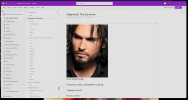
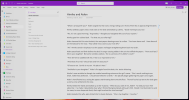
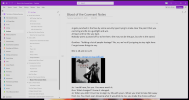
I think it's fair to say that my team uses Word for writing of the narrative on the page, vingettes and scenelets do not count, and OneNote for almost everything else. OneNote can also get really big, really fast, but I've been stuffing ours for going on 20 years and yet to slow it down. You can post links and files and pictures. You can make tables, but I haven't. My wife likes it, though. So, I use it to keep track of changes and eyecolors and random thoughts and inspiraiton pics. I've loved this program for years, and I've still not discovered all its treasures.

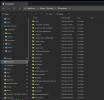
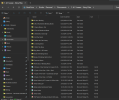
This is today, three different places. Autism brain on full display. <3

1757017754013.png

1757017779223.png

1757017796753.png
 
I've never used OneNote. I have been using Word & Excel. What ideas, suggestions do you have about OneNote? What exactly are you finding more handy in OneNote than Word?
To add to A. E. Lowan 's excelent example of what OneNote can do, as someone who also keeps all his notes in it: It's a very different tool from Word.

Word is great for linear documents. I do all my writing in Word. Part of the reason I like it is that I can put my whole 100k word novel in there at it won't even blink.

However, it's terrible for organizing non-linear information. In OneNote, I can easily group all my characters together. When a new one comes up, I can just give him his own page. I can organize worldbuilding notes in a separate group, and I have my plot outline in a third. Jumping between them is easy. And because everything has its own page, finding something is a piece of cake. It's easy to add images, create tables and list.

The whole tool is created to take notes and group them in logical ways. It works very different from something like Word in that regard.
 

Demesnedenoir

Myth Weaver
To add to A. E. Lowan 's excelent example of what OneNote can do, as someone who also keeps all his notes in it: It's a very different tool from Word.

Word is great for linear documents. I do all my writing in Word. Part of the reason I like it is that I can put my whole 100k word novel in there at it won't even blink.

However, it's terrible for organizing non-linear information. In OneNote, I can easily group all my characters together. When a new one comes up, I can just give him his own page. I can organize worldbuilding notes in a separate group, and I have my plot outline in a third. Jumping between them is easy. And because everything has its own page, finding something is a piece of cake. It's easy to add images, create tables and list.

The whole tool is created to take notes and group them in logical ways. It works very different from something like Word in that regard.
That's entirely too organized, LMAO.

My Scrivener is an absolute mess of organization. That's half the reason I decided to work with some readers and build out a Wiki: to organize all my crap, LOL.
 
To be fair, when I started it was mainly a case of having OneNote lying around and needing a place to put my notes. A happy accident really. I used A. E. Lowan 's examples as inspiration for organizing it a bit better.

Also, it keeps evolving. So half of it is probably out of date or uses a different organizational method.
 

A. E. Lowan

Forum Mom
Leadership
To be fair, when I started it was mainly a case of having OneNote lying around and needing a place to put my notes. A happy accident really. I used A. E. Lowan 's examples as inspiration for organizing it a bit better.

Also, it keeps evolving. So half of it is probably out of date or uses a different organizational method.
I'm glad someone thinks it's organized. lol My younger writing partner will get in there, and also into our Documents folder, and move shit around on me. Looks like this. Now, I can't find anything half of the time. I remind her, like I've been reminding her for the past decade we've been writing together, that I am autistic and my brain works differently.

Any need a 30 year-old pain in my- I mean, talented and hard working writer? Will ship.

Screenshot 2025-09-08 163220.png

1757367464344.png
 
It does look a bit like my folder list... As I write more, I keep changing how I organize things. So different books have different organizational systems. They all make sense (to me at least...), but they all make a different kind of sense. The trick is remembering what sense I had in mind when I set it up.

Also, I love the two 0. and 00. folders you've got going. I could definitely do that. A case of having everything neat and organized and in the order you want and realizing (twice no less) that you need another folder that sits at the top of the list. And of course, not wanting to renumber the whole thing. Nice.

Of course, really organized people would have considered the possibility and would have numbered in incremements of 10, which lets you add stuff in the middle without issue :) Not me, I just make it up as I go along.
 

A. E. Lowan

Forum Mom
Leadership
Yeah... the numbers are all on Dingbat. I understand that yes, it really does make it so that all of the 'important' stuff is up top. It's a good thing. I want her taking the initiative and making her mark... but it also hurts my brain. And my brain is a tiny, furry brain and doesn't do change well. lol
 

Eric

New Member
I recently heard about the Scrivener program from a fellow fiction writer on Facebook. Has anyone else used this program for their manuscripts? I'm thinking about purchasing it, but I only have a laptop and am not sure how much space on my Dell it's going to use.

I've done some research into it, and it looks like something I could use to (finally!) organize my notes and stories in something other than notebooks and Microsoft Word. I just want others' opinions on the software.

Thanks!
I’ve recently purchased Scrivner and with a modicum of patience and some tedious poking around, I’m completely enjoying and appreciating the basic collation of stories/chapters and sidebar area to include synopsis and research.
 

skip.knox

toujours gai, archie
Moderator
Yes to the supplementary material. I routinely set up a project with folders for Front Matter, Back Matter, and Marketing. The latter includes all the blurbs of various lengths, synopses, and so on. It's convenient, though rarely easy, to work on that material during odd (but oddly frequent) times when I'm stuck on the main story. As the story evolves, I can revise the marketing copy as needed.
 

Ronin872

New Member
I joined a long time ago and hit a wall. Was constantly unorganized and had so many different notes and books. Recently heard about Scrivener and changed everything. Brought me back to the grind. As a first time fantasy writer, I was afraid but scrivener has boosted my confidence bc i have all my lore and knowledge a click away. even small notes i had on scraps of paper. The 30 day trial of use is amazing.
 
I think it's fair to say that my team uses Word for writing of the narrative on the page, vingettes and scenelets do not count, and OneNote for almost everything else. OneNote can also get really big, really fast, but I've been stuffing ours for going on 20 years and yet to slow it down. You can post links and files and pictures. You can make tables, but I haven't. My wife likes it, though. So, I use it to keep track of changes and eyecolors and random thoughts and inspiraiton pics. I've loved this program for years, and I've still not discovered all its treasures.

This is today, three different places. Autism brain on full display. <3

View attachment 4003

View attachment 4004

View attachment 4005

I use MS Word for both my world building and my writing. I had no idea this OneNote magic existed! I have heard of Scrivener. But had seen mixed feedback and never took the plunge. This looks ideal. Although, it also means organising my world building document, which is a behemoth, into OneNote. At the moment I just use the navigation tab and have ‘headings’ listed on the side to find what I need. I need an assistant. One day!
 

Lorn Ashby

Dreamer
(hope this is allowed - I'm not affiliated with Deckle in any way)

Hi folks - there's a new writing tool in early release called "Deckle" that I came across. The developer has been great and responsive, so I decided to try it out. (I have no relationship with the company at all - just wanted to mention it here before the early release pricing expires in early August).

It's a downloadable application, available on pretty much every platform. One-time cost, lifetime license, and updates. Seems stable and useful now and with rapid feature releases.

Your license gives you two devices.
No free trial, but a 30-day no-questions refund (I'm a week into mine)

My impression is that it's a streamlined Scrivener with almost no learning curve. It does not have rich metadata, etc., but is feature-rich. Where it really excels is integration with tools like ProWritingAid and in its handling of front/back matter, formatting and publication. I haven't gotten this far yet, but it seems that I can stop exporting my manuscript to use editing tools and not have to use Atticus or similar to get a well-formatted manuscript easily.

One thing that's really nice is that you can preview what your manuscript looks like in any of the many output formats without doing an export - what you see on the screen as you tweak the style and settings is what you will see in the export.

If you've already invested in those other tools, then I'm not sure I'd think about switching.
The site is Deckle

There are some YouTube and Reddit reviews, etc.
 
Last edited:
Hi,

Minor update to my previous post in this thread (2013 - yikes!), I've moved on from Word - all the way to Libre Office! Basically, the same program. Most of the tools others are describing in this thread are nearly as well done in Libre. I just keep two files running at the same time for every book. The book file and a data file. Then all I have to do is flick the bottom tab between them when I'm trying to remember something that's in the data file and flick back a few seconds later. Alternatively if I decide to make a change to say a character as I'm writing, I just flip over to the data file to update the cast section of my data file.

Maybe I'm just antediluvian but for me simple is best. The question I'd ask is what actual benefit do you get from using these more writer based programs? Because if it was me using them, I'd probably spend days just updating the cast, world build, magic systems and everything else, instead of writing the book.

Cheers, Greg.
 

A. E. Lowan

Forum Mom
Leadership
Hi,

Minor update to my previous post in this thread (2013 - yikes!), I've moved on from Word - all the way to Libre Office! Basically, the same program. Most of the tools others are describing in this thread are nearly as well done in Libre. I just keep two files running at the same time for every book. The book file and a data file. Then all I have to do is flick the bottom tab between them when I'm trying to remember something that's in the data file and flick back a few seconds later. Alternatively if I decide to make a change to say a character as I'm writing, I just flip over to the data file to update the cast section of my data file.

Maybe I'm just antediluvian but for me simple is best. The question I'd ask is what actual benefit do you get from using these more writer based programs? Because if it was me using them, I'd probably spend days just updating the cast, world build, magic systems and everything else, instead of writing the book.

Cheers, Greg.
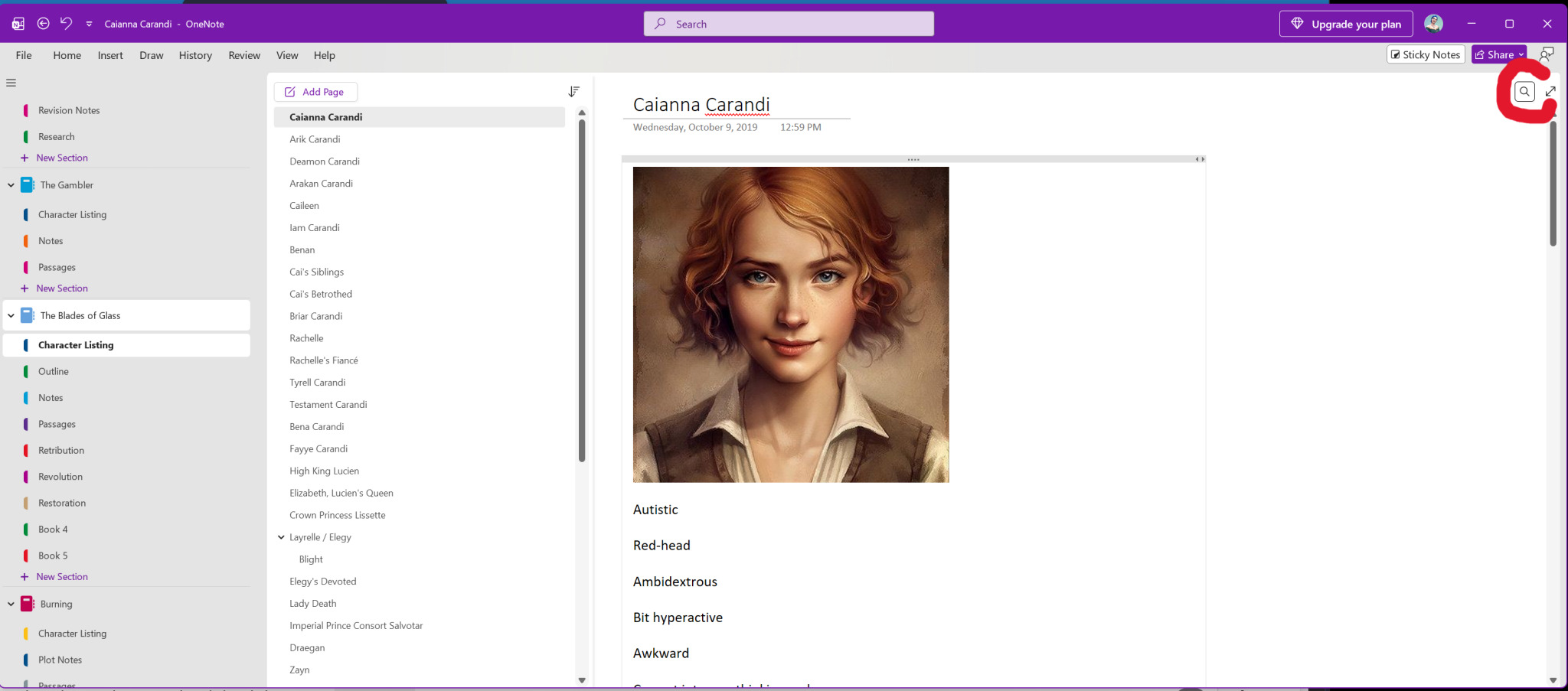
The Search function gets a lot of use, which is great because this is a collection of really, really old information. Basically, I'm parking my brain in here and that's the only thing saving this series from rabbitholing itself to a full collapse of matter and then all we have is yet another Urban Fantasy Black Hole.

Really little Search icon in the upper-right of my layout. Your milage may vary.
 

skip.knox

toujours gai, archie
Moderator
>The question I'd ask is what actual benefit do you get from using these more writer based programs? Because if it was me using them, I'd probably spend days just updating the cast, world build, magic systems and everything else, instead of writing the book.

Valid question. I was pretty hesitant at first (I've been using Scrivener for several years now); I just knew that Word (LibreOffice) wasn't doing it. Too many files in too many places. And had I put all the background into a single file, it would have been ridiculous.

What I have is a world. My world reference has tons of information; it's its own project. Then there's whatever book I'm working on at the time, which has background information specific to that particular book. Then there's the actual writing. Also, an ideas project, which needs to be kept separate from all the rest, holding story notions, sketches, and so on. A word processor simply isn't designed for that.

That's at the project level. At the writing level, I gradually learned to work more in terms of scenes than of chapters. Since I'm in the blind stumbler category of writer, those scenes get moved around quite a bit, which would be terribly clumsy if the whole novel were in a single file. A cut-and-paste nightmare.

I also tend to decide this or that scene, or approach to a scene, isn't working but I'm not ready to delete it. Also, I have exploratory scenes that might get used and then again might not. So I have a Fragments area to hold these items. Easy to search, easy to retrieve, easy to merge back into the main work.

So, working at the macro level with projects that are not a series but do all belong in the same world and need consistency across the works. Plus, at the scene level, the ability to work smoothly with (frequently) moving parts. I'd say those are the main items.

I do have any number of complaints and wishes. It's not a perfect fit, but for me it's the best one I've found, and the thought of trying to work with just a word processor makes my teeth itch.

One other thing: it took many hours over several months before I was truly sold. And I learned the hard way that one ought not switch writing tools in the middle of a project. Start anew. Alas, this means that the learning of the tool happens in one of the sweet spots of writing--getting on with that great new story. If you try it, expect to do much grumbling.
 

A. E. Lowan

Forum Mom
Leadership
Finally got the bloody screenshot to upload. >.<

full
 
Top